
Running a busy website or application on limited hosting eventually creates problems. When CPU, memory, storage, or traffic demands increase, dedicated hardware can provide a more predictable environment.
Los Angeles is also worth considering when your audience, customers, or connected services are concentrated around the US West Coast and network distance becomes an important factor.
In this guide, I compare server resources, storage, bandwidth, management, security, and pricing, so you can focus on the configuration that actually fits your requirements.
Los Angeles Dedicated Servers: Quick Overview
The five options below serve different needs. One may offer more configuration flexibility, while another may suit managed workloads, stronger networking requirements, or projects working with a tighter budget.
| Provider | Starting Price | Best For | Key Highlight |
| YouStable | $77.99/mo | Flexible server deployments | Multiple Los Angeles configurations |
| ServerWala | $45/mo | Budget conscious projects | Lowest entry price in this comparison |
| Clouvider | £99/mo | Performance focused workloads | High speed networking options |
| InterServer | $109/mo | Custom infrastructure needs | Stocked servers and remote access options |
| UltaHost | $128.50/mo | Managed dedicated hosting | Support and managed server options |
Starting price alone does not show the complete picture. Storage type, processor generation, memory, bandwidth, management, and available upgrades can change which configuration offers better value for your workload.
How I Compared These Los Angeles Server Options
Rather than treating every dedicated server as interchangeable, I looked at the specifications and service features that directly affect daily operation, control, connectivity, and long-term costs.
| Comparison Area | What I Looked At | Why It Matters | Main Details Compared |
| Hardware Capacity | CPU, cores, RAM, storage | Determines available computing resources | Processor, memory, SSD/NVMe capacity |
| Network Setup | Port speed and traffic allowance | Affects connectivity and traffic handling | 1Gbps, higher speed options, bandwidth terms |
| Los Angeles Availability | Dedicated deployment location | Helps match infrastructure with target users | Specific Los Angeles server availability |
| Protection and Reliability | DDoS and service protections | Important for maintaining availability | Included security and reliability features |
| Server Control | Root access, IPMI/KVM, management | Determines administrative flexibility | Remote access and managed options |
| Overall Cost | Monthly price and included resources | Shows practical value beyond promotions | Hardware, storage, network, and service features |
This approach makes it easier to compare what each service actually provides instead of assuming that the lowest priced server will automatically suit every requirement.
The 5 Dedicated Servers I Compared
The providers are arranged according to their strongest use cases in this comparison. Each section looks at the available Los Angeles offering and where it may fit.
1. YouStable – Flexible Dedicated Resources for Different Workloads
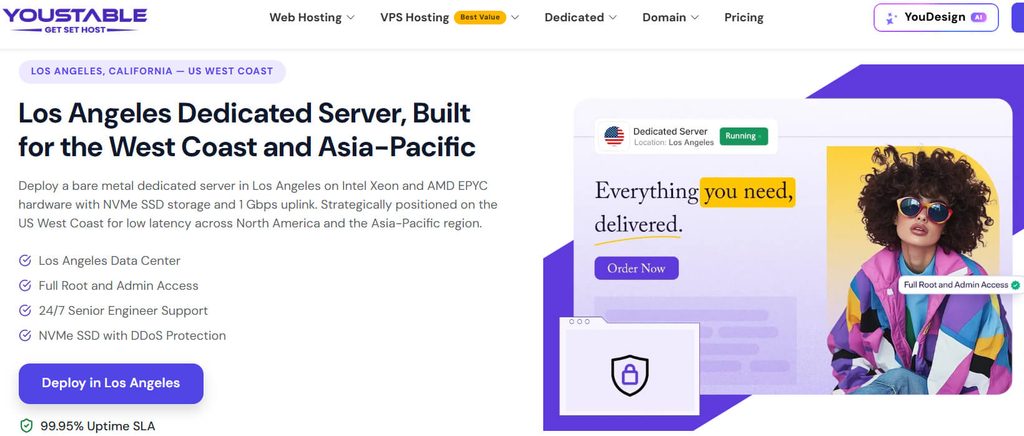
YouStable’s Los Angeles dedicated server range starts at $77.99 per month and includes five listed configurations. The available options move from SSD based Xeon servers toward higher resource configurations with NVMe storage.
The service highlights 32GB RAM, 10TB bandwidth, root access, DDoS protection, 24/7 support, custom configurations, and a 99.95% uptime SLA, although individual hardware specifications vary between plans.
Overall, YouStable is a practical choice when you want several configuration levels instead of one fixed server. The range lets you select storage and processing resources closer to your workload.
What Comes With the Service?
- Multiple Los Angeles server configurations
- Intel Xeon-based hardware
- 32GB RAM on listed plans
- SSD and NVMe storage options
- 10TB bandwidth
- 1Gbps connectivity on selected configurations
- Full root and admin access
- DDoS protection
- 24/7 technical support
- Custom server configuration options
- 99.95% uptime SLA
YouStable Los Angeles Server Plans
| Plan | Price | Server Resources | Best For |
| E3-1230v3 – 3.0GHz | $77.99/mo | 4 CPU, 32GB RAM, 480GB SSD, 10TB bandwidth | Smaller dedicated workloads |
| E3-1230v5/v6 – 3.2GHz | $103.99/mo | 4 CPU, 32GB RAM, 480GB SSD, 10TB bandwidth | Growing websites and applications |
| E-2136 – 3.3GHz | $117.99/mo | 6 CPU, 32GB DDR4 RAM, 480GB SSD, 10TB at 1Gbps | Higher-performance workloads |
| E-2286G – 4.0GHz | $143.99/mo | 6 CPU, 32GB DDR4 RAM, 480GB NVMe SSD, 10TB at 1Gbps | Databases and demanding applications |
| E5-2667v4 – 3.2GHz | $169.99/mo | 8 CPU, 32GB DDR4 RAM, 960GB NVMe SSD, 10TB at 1Gbps | Resource-intensive workloads |
Why YouStable Stands Out Here
The useful part is the spread between configurations. You are not limited to a single entry server, and the higher options add faster NVMe storage or additional processing capacity.
For growing websites, applications, databases, or business workloads, that flexibility can matter. You can compare the listed resources first and choose a stronger configuration only when necessary.
2. ServerWala – Lower Cost Entry Into Dedicated Hosting

ServerWala enters this comparison with the lowest starting price, listing a Los Angeles dedicated server from $45 per month. That makes it worth examining for projects where monthly infrastructure costs need tighter control.
The entry configuration uses an Intel Xeon E3-1230V3, 16GB RAM, 250GB SSD storage, and 20TB bandwidth. Higher configurations are also available with different hardware combinations.
Overall, ServerWala is most relevant when cost comes before maximum resources. It provides a lower-priced route into dedicated hosting, provided the selected hardware matches your actual workload.
What You Can Expect
- Los Angeles dedicated server deployment
- Intel-based hardware configurations
- Dedicated CPU, memory, and storage
- Multiple resource combinations
- SSD storage options
- Bandwidth based on selected configuration
- Root-level server control
- Different billing options
- Custom requirements for selected projects
ServerWala Plans and Pricing
| Plan | Price | Server Resources | Best For |
| Intel Xeon E3-1230V3 | $45/mo | 4 cores / 8 threads, 16GB RAM, 250GB SSD, 20TB bandwidth | Budget-focused websites and applications |
| Higher Configurations | Varies | Different CPU, RAM, storage, and bandwidth combinations | Growing workloads |
| Custom Requirements | Quote-based | Resources based on project requirements | Specialized projects |
Where ServerWala Makes Sense
The $45 starting point is attractive for smaller workloads, but the decision should still come down to processor capability, memory requirements, storage capacity, and expected traffic.
It can suit projects that need dedicated resources without beginning at a higher monthly price. More demanding applications should compare the exact configuration against stronger alternatives.
3. Clouvider – Stronger Focus on Hardware and Network Options
Clouvider takes a more infrastructure-focused approach, with Los Angeles dedicated servers designed for users who want to review processor, memory, storage, and network specifications before selecting a configuration.
Its available options include Intel Xeon E-series processors, configurable RAM, and NVMe storage. Selected configurations also provide higher-speed network interfaces, making connectivity an important part of the offering.
Overall, Clouvider is better suited to workloads where server performance and network capability need equal attention. It gives technical users more infrastructure details to consider before choosing.
Hardware and Connectivity Highlights
- Los Angeles dedicated server location
- Intel Xeon E-series hardware
- Configurable memory options
- NVMe storage configurations
- Different bandwidth arrangements
- High-speed network options
- Up to 10Gbit/s network interfaces on selected configurations
- Unmetered traffic on selected options
- DDoS protection options
Clouvider Los Angeles Server Options
| Plan | Price | Server Resources | Best For |
| E-2276G NVMe | From £99/mo | 6-core Xeon, configurable RAM, NVMe storage | High-performance websites |
| E-2286G NVMe | Higher configuration pricing | 6-core Xeon, configurable RAM, NVMe storage | Applications and databases |
| Custom Configuration | Varies | Hardware, RAM, storage, and networking based on requirements | Specialized workloads |
Who Should Look at Clouvider?
Clouvider makes more sense for applications, databases, media platforms, and performance-sensitive workloads where NVMe storage and network capacity are important considerations.
It is particularly relevant when you already understand your infrastructure requirements and want to compare technical specifications rather than choosing a simplified fixed package.
4. InterServer – More Control Over Hardware Choices
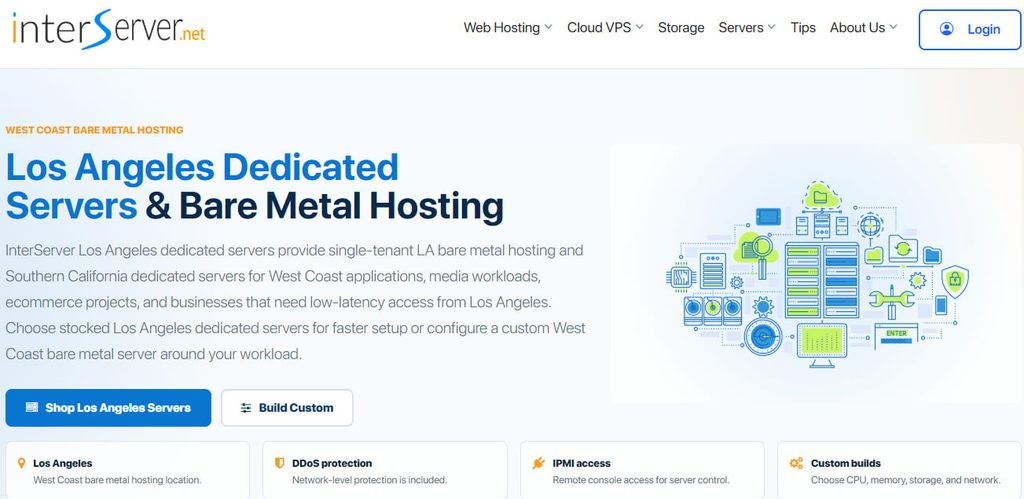
InterServer combines ready-to-order Los Angeles servers with custom configuration possibilities. This gives you the option to select existing inventory or explore hardware that more closely matches specific CPU, memory, or storage requirements.
The listed Los Angeles inventory includes Intel Xeon and AMD EPYC options. Depending on the hardware, remote management tools such as IPMI, iLO, or remote KVM may also be available.
Overall, InterServer is a stronger fit for technical users who want greater control over the server environment. Its mix of stocked servers and custom options creates more flexibility.
Server Control and Infrastructure
- Ready-to-order Los Angeles servers
- Custom hardware configurations
- Intel Xeon and AMD EPYC options
- 1Gbps unmetered connectivity on listed servers
- Higher-speed port options
- IPMI, iLO, or remote KVM availability
- Network-level DDoS protection
- Remote reboot capability
- Remote operating system reinstallation
- 24/7 uptime monitoring
Current Example Configurations
| Plan | Price | Server Resources | Best For |
| Xeon E3-1240v6 | $101/mo | 4 cores, 64GB RAM, 2 × 3.84TB SATA SSD, 1Gbps unmetered | Storage-heavy workloads |
| Xeon E3-1240v6 | $109/mo | 4 cores, 64GB RAM, 2 × 4TB SSD, 1Gbps unmetered | Websites requiring larger storage |
| AMD EPYC 4344P | $112/mo | 8 cores, 64GB RAM, 2TB NVMe, 1Gbps unmetered | Performance-focused applications |
| AMD EPYC 4344P | $116/mo | 8 cores, 64GB RAM, 2TB NVMe, 1Gbps unmetered, 5 VLAN IPs | Projects requiring additional IP capacity |
| AMD EPYC 9254 | $699/mo | 24 cores, 512GB RAM, 2TB NVMe 990 Pro, 1Gbps on a 10Gbps port | Demanding enterprise workloads |
Why Consider InterServer?
InterServer is useful when a standard package does not match your requirements. Developers and experienced users can benefit from the broader hardware selection and available remote management capabilities.
It can also suit businesses with specific infrastructure needs, particularly when CPU, memory, storage, networking, or server control requirements are more important than simplicity.
5. UltaHost – Dedicated Hardware With Management Options
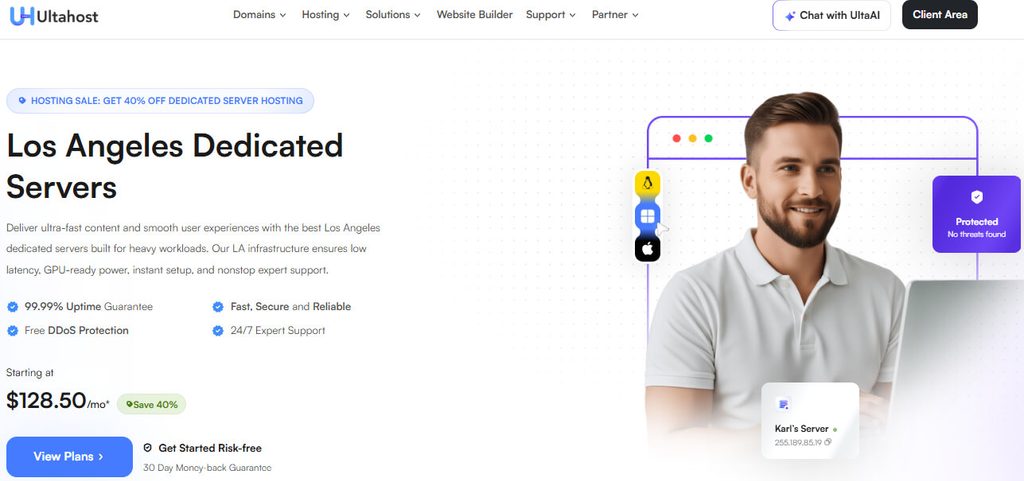
UltaHost combines dedicated server resources with management and technical support options. This approach can be useful when you need dedicated capacity but do not want every administrative responsibility handled independently.
Its server range includes different CPU, RAM, and NVMe storage levels. Higher configurations are intended for demanding websites, applications, databases, and workloads requiring additional processing or memory resources.
Overall, UltaHost is worth considering when operational support matters alongside hardware. Its managed options create a different experience from services aimed primarily at self managed dedicated infrastructure.
Support, Security, and Server Resources
- Managed dedicated server options
- Dedicated CPU and RAM resources
- NVMe SSD storage
- DDoS protection
- Linux and Windows operating system choices
- 24/7 technical support
- Dedicated IP resources
- Multiple server configurations
UltaHost Dedicated Server Options
| Plan | Price | Server Resources | Best For |
| Dedicated Starter | From $128.50/mo | Intel Xeon processor, dedicated RAM, NVMe SSD storage | Growing websites and applications |
| Dedicated Business | Varies | Higher CPU, RAM, and NVMe resources | Business workloads |
| Dedicated Professional | Varies | Additional processing and memory capacity | Databases and demanding applications |
| Custom Configuration | Quote based | Resources configured around workload requirements | Specialized infrastructure |
When UltaHost Is the Better Fit
UltaHost can be a sensible choice for businesses or users who need dedicated resources but also value managed service options and ongoing technical assistance.
It may be easier to manage than a completely self managed server, particularly when your team does not want to handle every operational task independently.
Comparing the Main Differences
After reviewing the individual offerings, the biggest differences come down to entry price, hardware flexibility, network capacity, and the amount of management support available.
| Provider | Los Angeles Availability | Hardware Focus | Network / Bandwidth | Management Style | Best Fit |
| YouStable | Yes | Intel Xeon configurations | 10TB on listed plans | Root and admin access | Flexible workloads |
| ServerWala | Yes | Intel based configurations | Up to 20TB on listed entry plan | Root level control | Lower cost deployments |
| Clouvider | Yes | Intel Xeon E-series | High speed options, including 10Gbit/s interfaces | Infrastructure focused | Network heavy workloads |
| InterServer | Yes | Intel Xeon and AMD EPYC | 1Gbps unmetered on listed servers | Self managed with remote access options | Custom infrastructure |
| UltaHost | Los Angeles offering | Dedicated CPU, RAM, NVMe | Configuration dependent | Managed options available | Users needing assistance |
There is no universal winner because the configurations serve different requirements. Comparing the actual server you plan to purchase is more useful than relying on a provider’s lowest advertised price.
Choosing the Right Los Angeles Dedicated Server
A practical decision starts with the workload and then moves through the resources required to run it. These steps can help narrow the available options.
Step 1: Define Your Server Workload
Start by identifying exactly what the server will handle. A busy database, web application, game server, and high traffic website can require very different resource combinations.
Consider whether you are running:
- High traffic websites
- Web applications
- Databases
- Game servers
- Media platforms
- Storage heavy services
Step 2: Check CPU, RAM, and Storage Together
Looking at only one specification can be misleading. A powerful processor may not help if memory is limited, while large storage may be unnecessary for compute focused applications.
Check these details together:
- Processor model and generation
- CPU cores and threads
- RAM capacity
- SSD or NVMe storage
- Available storage capacity
- Upgrade possibilities
Step 3: Match the Network to Expected Traffic
Network requirements depend on the type and volume of traffic your services handle. Check both the connection speed and the monthly traffic allowance before ordering.
Pay attention to:
- Port speed
- Included bandwidth
- Unmetered traffic terms
- Higher-speed network availability
- Potential additional bandwidth charges
Step 4: Decide Between Managed and Self Managed
A self managed server generally provides more direct control but requires the technical ability to administer and maintain the environment. Managed services can reduce some operational responsibility.
The better option depends on whether you or your team can handle operating system administration, software configuration, monitoring, updates, and troubleshooting without additional assistance.
Step 5: Review Security and Access Features
Security and remote access tools can be important when the server runs business critical services. Check what is included with the specific configuration rather than assuming every feature applies.
Look for:
- DDoS protection
- Firewall options
- Server monitoring
- Backup availability
- Root or administrative access
- IPMI or KVM access
- Uptime commitments
Step 6: Think About What Happens as You Grow
A server that works today may become restrictive after traffic increases or applications require more processing, memory, storage, or network capacity.
Check whether stronger configurations, custom hardware, additional resources, or migration options are available before committing to a particular server setup.
Step 7: Compare the Complete Monthly Cost
The advertised starting price may not include every service or resource your project eventually requires. Compare the complete configuration before deciding which option represents better value.
Include:
- Server hardware
- RAM and storage
- Bandwidth
- Management services
- Security features
- Backup requirements
- Additional IP addresses or network costs
Which Provider Should You Pick?
The simplest way to choose is to start with the requirement that matters most to your project, then compare the exact server configuration available from that provider.
| Provider | Choose It For | Best Suited For | Main Reason |
| YouStable | Configuration flexibility | Growing websites and applications | Several Los Angeles configurations across different resource levels |
| ServerWala | Lower entry pricing | Smaller dedicated workloads | $45/month starting option |
| Clouvider | Network and performance requirements | Demanding applications | High speed connectivity and infrastructure focused options |
| InterServer | Hardware choice and control | Developers and technical users | Stocked servers, custom builds, and remote management tools |
| UltaHost | Managed service options | Users wanting additional assistance | Dedicated resources with management and support options |
Your workload should drive the decision. If you mainly need flexibility, start by comparing YouStable’s configurations; if cost is the main concern, examine ServerWala’s entry hardware carefully.
For stronger networking requirements, Clouvider deserves closer attention. InterServer suits users needing more hardware control, while UltaHost is relevant when managed assistance is an important consideration.
FAQs
Which Is the Best Dedicated Server in Los Angeles?
The best option depends on your workload. Hardware requirements, storage performance, bandwidth, management needs, and budget should all be compared before choosing a dedicated server.
Why Does the Los Angeles Server Location Matter?
A Los Angeles server can be useful when your audience or connected services are closer to the US West Coast. Shorter network distance may improve response times.
What Should I Check Before Buying a Dedicated Server?
Focus on the essentials:
• CPU and RAM
• Storage type and capacity
• Bandwidth and port speed
• Management level
• Security and support
Are Dedicated Servers Good for High Traffic Websites?
They can be, provided the selected CPU, RAM, storage, and network capacity match the traffic. Dedicated resources can provide more predictable capacity than shared hosting.
Do All Dedicated Servers Include Root Access?
No. Many dedicated services offer root or administrative access, but the exact access level can depend on the provider, operating system, and management arrangement.
How Much Does a Los Angeles Dedicated Server Cost?
The options compared in this article start at around $45 per month, while higher-performance configurations can cost several hundred dollars monthly depending on hardware and network requirements.
Which Dedicated Server Is Better for Future Growth?
Look for multiple configuration levels, stronger hardware options, or custom server availability. Your future requirements may involve additional CPU power, RAM, storage, or network capacity.
Conclusion
The best dedicated server is the one that matches the work you actually need it to perform. Paying for unnecessary resources wastes budget, while choosing insufficient capacity can create performance problems later.
The five options compared here differ in meaningful ways. Some prioritize flexible configurations, others focus on lower entry pricing, stronger networking, greater server control, or additional management support.
Before ordering, check the exact CPU, RAM, storage, bandwidth, network speed, and management terms attached to your chosen configuration. Those details matter far more than the starting price alone.