

Choosing a New Jersey VPS becomes easier when you know exactly what your website needs, because location alone cannot determine speed, reliability, scalability, or overall hosting value.
If your visitors are concentrated around New York and the Northeast, a nearby server location can be useful for regional applications, business websites, online stores, and growing platforms.
You also gain dedicated virtual resources and greater server control compared with shared hosting, giving you more flexibility when traffic, software requirements, or workload complexity starts increasing.
In this guide, you will compare four VPS providers based on their current plans, resources, infrastructure, management options, and practical advantages rather than simply comparing advertised prices.
- Is New Jersey the Right Server Location for Your Website?
- Which VPS Specifications Should You Pay Attention To?
- Four VPS Providers Worth Comparing in 2026
- 1. YouStable — Best Overall New Jersey VPS
- 2. UltaHost — A Managed VPS for Easier Administration
- 3. Hostiger — Built for New Jersey and New York Connectivity
- 4. Verpex — Dedicated Resources for Experienced Users
- Which Provider Makes the Most Sense for You?
- A Few Checks Can Save You From the Wrong VPS
- FAQs
- Conclusion
Is New Jersey the Right Server Location for Your Website?
New Jersey can be a practical hosting location when your audience or application users are concentrated around New York and surrounding Northeast markets.
However, server proximity does not automatically guarantee faster performance, because routing, network congestion, application optimization, and the visitor’s internet connection also influence real-world response times.
That means you should treat location as one factor within a larger hosting decision, alongside CPU, RAM, storage, bandwidth, virtualization, support, security, and management.
For example, a resource-heavy application may perform poorly on an underpowered VPS even when the server is geographically close to your primary audience.
You should therefore match the VPS configuration with your workload first, then consider whether the provider’s location and network infrastructure support your target users effectively.
Which VPS Specifications Should You Pay Attention To?
Before choosing a plan, look at the resources your website actually consumes instead of selecting a package simply because its monthly price looks attractive.
RAM becomes important when you run databases, control panels, caching systems, applications, or several websites simultaneously, while CPU matters more during heavier processing workloads.
NVMe storage can provide a responsive environment for websites and applications, while sufficient capacity prevents databases, media files, backups, and logs from quickly exhausting available space.
Bandwidth also deserves attention because websites serving more visitors, downloads, images, videos, or application traffic can consume considerably more network capacity over time.
You should additionally check whether the VPS is managed or unmanaged, because that difference determines how much responsibility you will have for maintenance, security, configuration, and troubleshooting.
Finally, examine backup options, migration assistance, DDoS protection, operating-system choices, root access, support availability, and renewal pricing before committing to a longer billing period.
Four VPS Providers Worth Comparing in 2026
The four providers below take noticeably different approaches, so you can compare them according to your own priorities instead of treating every VPS plan as identical.
YouStable leads this comparison for its combination of starting resources and pricing, while the other three providers offer different advantages around management, connectivity, or dedicated resources.
| Provider | Starting Price | Entry Level Resources | Main Strength |
| YouStable | $3.67/month | 1 CPU, 4 GB RAM, 50 GB NVMe | Overall value |
| UltaHost | $4.80/month | 1 CPU, 1 GB DDR5, 30 GB NVMe | Managed VPS |
| Hostiger | $15/month | 1 vCPU, 1 GB RAM, 25 GB NVMe | New Jersey connectivity |
| Verpex | $10/month intro | 2 dedicated vCPU, 4 GB RAM, 80 GB NVMe | Dedicated resources |
Prices can vary according to billing terms and promotional offers, so you should verify the current checkout price and renewal amount before ordering any VPS plan.
1. YouStable — Best Overall New Jersey VPS
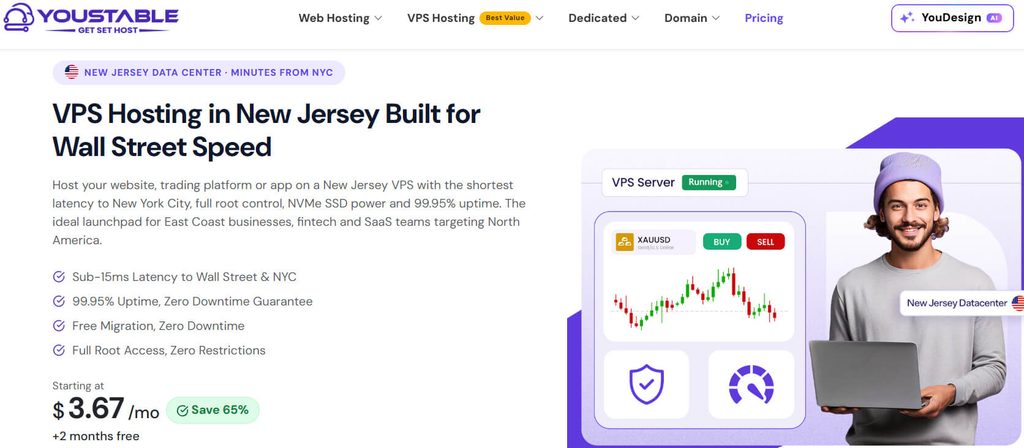
YouStable takes the top spot because its entry-level configuration combines comparatively strong resources with a low listed price, giving you considerable room for websites and applications.
The vStart plan includes 1 CPU, 4 GB RAM, 50 GB NVMe SSD storage, 4 TB bandwidth, one dedicated IPv4 address, and full root access.
The displayed price is $3.67 per month on a 24-month term, with the provider showing the same renewal price for that selected configuration.
A Surprisingly Capable Entry Configuration
If you are moving away from shared hosting, the vStart resource package gives you a useful amount of headroom without requiring a large initial VPS budget.
Four gigabytes of RAM can support a broader software stack than many entry-level configurations, although actual capacity depends on your applications and their memory requirements.
The 50 GB NVMe storage provides space for websites, databases, application files, logs, and operating-system data, provided your workload remains within that capacity.
Scaling Is Straightforward When Requirements Increase
You do not have to remain on the entry configuration as your project develops, because YouStable offers larger VPS plans with substantially higher resource allocations.
| Plan | CPU | RAM | NVMe Storage | Bandwidth |
| vStart | 1 CPU | 4 GB | 50 GB | 4 TB |
| vProfessional | 2 CPU | 8 GB | 100 GB | 8 TB |
| vPopular | 4 CPU | 16 GB | 200 GB | 16 TB |
| vStable | 8 CPU | 32 GB | 400 GB | 32 TB |
This progression gives you a clear path when your websites, databases, applications, or traffic require additional processing power, memory, storage, and bandwidth.
Root Access Puts You in Charge
Full root access allows you to install software, configure services, change system settings, and build a hosting environment around your own technical requirements.
The provider lists AMD EPYC processors, KVM virtualization, NVMe storage, DDoS protection, SSH/SFTP access, and a 1 Gbps New Jersey port.
You can select operating systems including Ubuntu, Debian, AlmaLinux, and Rocky Linux, while Windows Server is available as a paid option.
Control-panel choices include cPanel, Plesk, DirectAdmin, and free CyberPanel, giving you several ways to manage websites and server services.
Support and Migration Can Reduce the Friction
Moving from another hosting environment can be one of the more frustrating parts of upgrading to VPS hosting, particularly when you have several websites or databases.
YouStable lists free migration assistance alongside 24/7 support, helping make the transition easier if you do not want to handle every migration step alone.
The provider also lists a 7-day money-back guarantee, giving you a limited period to evaluate whether the service suits your requirements.
Where YouStable Fits Best
YouStable is particularly appealing when you want more resources than typical entry VPS packages while keeping your monthly infrastructure cost relatively controlled.
You can consider it for business websites, ecommerce projects, SaaS applications, development environments, agencies, automation workloads, and other growing online services.
If you are comfortable managing a server yourself, the combination of root access and multiple configuration options gives you considerable flexibility.
The One Responsibility You Should Remember
Root access also means you need to understand server administration, security, updates, software configuration, and troubleshooting or have someone capable of handling those responsibilities.
That is not necessarily a disadvantage, but it should influence your decision if you are completely new to VPS management.
YouStable Pros
- $3.67/month listed starting price
- 4 GB RAM on the entry plan
- 50 GB NVMe storage
- 4 TB bandwidth
- Full root access
- Dedicated IPv4
- Multiple control-panel options
- Free migration
- 24/7 support
- DDoS protection
YouStable Cons
- Root-level administration requires technical knowledge.
- The lowest displayed price uses a 24-month billing term.
Our Verdict: YouStable is the strongest overall option here if you want substantial starting resources, server control, and a comparatively low entry price.
2. UltaHost — A Managed VPS for Easier Administration
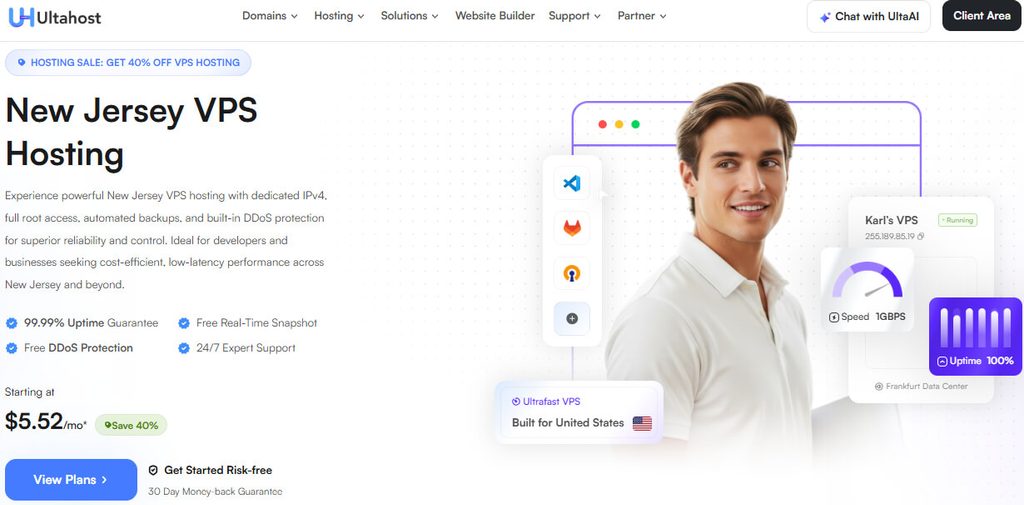
UltaHost comes second because it focuses strongly on managed VPS hosting, making it attractive when you want additional server resources without taking responsibility for every administrative task.
Its current VPS Basic plan is displayed at $4.80 per month on the 24-month billing option and includes managed service, NVMe storage, and a dedicated IPv4 address.
The service also includes automated backups, real-time snapshots, DDoS protection, free migration, firewall management, vulnerability monitoring, and 24/7 support.
The Plans Give You a Clear Upgrade Path
UltaHost provides four VPS configurations, allowing you to move upward as your application needs more CPU, RAM, or storage.
| Plan | CPU | RAM | NVMe Storage | Bandwidth |
| VPS Basic | 1 CPU | 1 GB DDR5 | 30 GB | — |
| VPS Business | 2 CPU | 2 GB DDR5 | 50 GB | Unlimited |
| VPS Professional | 3 CPU | 4 GB DDR5 | 75 GB | Unlimited |
| VPS Enterprise | 4 CPU | 6 GB DDR5 | 100 GB | Unlimited |
The VPS Basic package also includes four IPv6 addresses, free SSL, managed server administration, and a 30-day money-back guarantee.
Why Management Can Matter More Than Raw Specs
A VPS gives you greater freedom than shared hosting, but that freedom can introduce maintenance responsibilities that you may not want to handle every day.
Managed hosting can be valuable when you prefer spending your time developing your website, serving customers, or running your business instead of troubleshooting server-level issues.
UltaHost still provides root access, so you retain significant control while receiving a managed environment around the server.
Security Features Are Part of the Package
UltaHost includes several features aimed at protecting, recovering, and maintaining your VPS rather than leaving those responsibilities entirely to you.
- Automated backups: Helps maintain recoverable copies of your data.
- Real-time snapshots: Useful before major configuration changes.
- DDoS protection: Helps protect against certain unwanted traffic.
- Firewall management: Supports server-level security configuration.
- Vulnerability monitoring: Helps identify potential security concerns.
- Free migration: Makes moving an existing project easier.
- 24/7 support: Provides ongoing technical assistance.
- Free SSL: Included with the VPS Basic configuration.
The provider also lists KVM virtualization, SSH/SFTP access, staging functionality, and application installation features.
The Entry Plan Needs Careful Consideration
One point you should notice is the 1 GB RAM allocation on VPS Basic. That can be enough for lighter projects but may become restrictive with several services running simultaneously.
If you plan to use a control panel, database, application framework, caching, and additional services together, a higher configuration may be more appropriate.
Who Will Appreciate UltaHost Most?
UltaHost is worth considering if you want the advantages of VPS hosting but would rather minimize the amount of server administration you personally handle.
It can suit business owners, agencies, WordPress users, ecommerce projects, developers, and website operators moving from shared hosting.
UltaHost Pros
- Managed VPS hosting
- $4.80/month listed starting price
- NVMe storage
- Dedicated IPv4
- Automated backups
- Real-time snapshots
- DDoS protection
- Free migration
- Firewall management
- 24/7 support
UltaHost Cons
- Basic plan includes only 1 GB RAM.
- Higher resource requirements mean moving to more expensive tiers.
- Lowest displayed price uses a longer billing term.
Our Verdict: UltaHost is a convenient choice when managed VPS administration, security assistance, backups, and support are more important to you than maximum low-cost resources.
3. Hostiger — Built for New Jersey and New York Connectivity
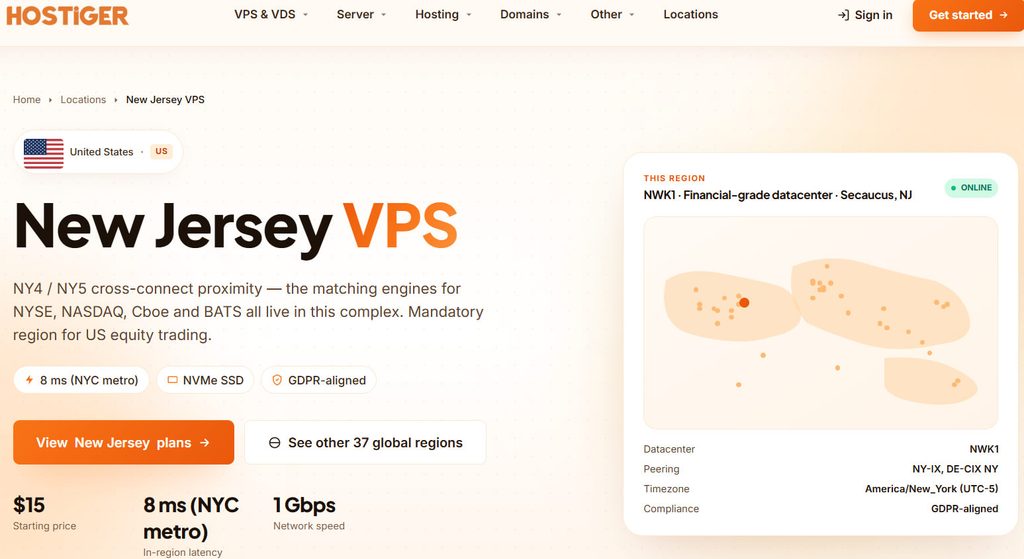
Hostiger occupies the third position, but it stands apart from the other options because its New Jersey offering puts considerable emphasis on regional connectivity.
The provider lists its New Jersey VPS location as NWK1 in Secaucus and highlights connectivity with NY-IX and DE-CIX NY.
Its infrastructure also includes a 1 Gbps symmetric network, Intel Xeon Gold processors, NVMe Gen4 SSD storage, KVM virtualization, and Tier III+ infrastructure with N+1 redundancy.
The Location Is a Major Part of the Proposition
If your users are concentrated around New York City and nearby markets, the Secaucus location can be particularly relevant when evaluating your hosting options.
Hostiger reports approximately 8 ms NYC metro latency, but you should treat that as a provider-published measurement rather than a guaranteed result for your own visitors.
Real-world latency depends on routing, ISP paths, congestion, user location, and application architecture, so testing your actual workload remains valuable.
From a Small VPS to Enterprise Capacity
Hostiger offers a broad selection of configurations, so you can choose according to your workload rather than being limited to only two or three resource levels.
| Plan | vCPU | RAM | NVMe Storage | Bandwidth |
| Basic | 1 | 1 GB | 25 GB | 1 TB |
| Starter | 1 | 2 GB | 50 GB | 2 TB |
| Medium | 2 | 4 GB | 80 GB | 3 TB |
| Standard | 4 | 8 GB | 160 GB | 4 TB |
| Professional | 6 | 16 GB | 320 GB | 5 TB |
| Advanced | 8 | 32 GB | 640 GB | 6 TB |
| Enterprise | 16 | 64 GB | 1,200 GB | 10 TB |
The regular Basic plan is listed at $15 per month, while the current order page shows a 25% promotional discount for the first six months.
That promotion displays the Basic plan at $11.25 during the introductory period, after which the normal pricing applies.
Network Infrastructure Is Where It Gets Interesting
The 1 Gbps symmetric network provides substantial network capacity, while the listed NY-IX and DE-CIX NY peering is particularly relevant to workloads serving regional users.
Hostiger also provides one IPv4 address and a /64 IPv6 allocation with its VPS configurations.
The provider advertises a 99.99% uptime SLA, although an SLA should be understood as a service commitment rather than a guarantee that every individual website will experience zero downtime.
Fast Provisioning Can Be Useful for Projects
Hostiger states that VPS deployment can take less than 60 seconds, which can be useful when you need to launch a new environment quickly.
You also get root access, snapshots, one-click migration, 24/7 support, and an in-browser console for server administration.
Operating-system options include Ubuntu, Debian, Rocky Linux, AlmaLinux, FreeBSD, and Windows Server, with custom ISO support also listed.
When the Higher Price Makes Sense
Hostiger is more compelling when New Jersey placement and NYC connectivity are important enough to justify spending more than the cheapest VPS options.
It can make sense for APIs, SaaS platforms, business applications, development environments, and workloads where regional network performance matters.
If your primary goal is maximizing RAM or storage for the lowest possible price, however, you should compare the alternatives carefully.
Hostiger Pros
- Secaucus, New Jersey location
- NYC-focused connectivity
- NY-IX and DE-CIX NY peering
- 1 Gbps symmetric network
- NVMe Gen4 storage
- KVM virtualization
- 99.99% uptime SLA
- Hourly or monthly billing
- Up to 16 vCPU
- Up to 64 GB RAM
Hostiger Cons
- Basic starts with only 1 GB RAM.
- Entry pricing is higher than the lowest-cost alternatives.
- Performance figures published by the provider are not independent benchmarks.
- Larger plans become considerably more expensive.
Our Verdict: Hostiger deserves attention when your workload specifically benefits from a New Jersey location and strong connectivity around the New York metropolitan area.
4. Verpex — Dedicated Resources for Experienced Users
Verpex takes the fourth position and stands out through dedicated virtual CPU, RAM, and NVMe storage across its featured New Jersey Linux VPS plans.
These plans are described as unmanaged Linux VPS hosting, making them more appropriate when you are comfortable handling server administration and configuration yourself.
The Entry Configuration Gives You Useful Headroom
The VPS-D4 plan includes 2 dedicated Xeon vCPU, 4 GB dedicated RAM, and 80 GB dedicated NVMe storage.
You also receive unlimited traffic, root access, optional cPanel/WHM, unlimited websites and email accounts, and one-click installation options.
The introductory VPS-D4 price is listed at $10 per month, with renewal shown at $19.99 per month.
Four Tiers Cover a Wide Resource Range
You can move through four configurations as your workload expands, with CPU, memory, and storage increasing substantially between the entry and highest tiers.
| Plan | Intro Price | Renewal Price | CPU | RAM | NVMe | Traffic |
| VPS-D4 | $10/mo | $19.99/mo | 2 dedicated Xeon vCPU | 4 GB | 80 GB | Unlimited |
| VPS-D8 | $20/mo | $39.99/mo | 4 CPU | 8 GB | 160 GB | Unlimited |
| VPS-D16 | $40/mo | $79.99/mo | 8 CPU | 16 GB | 320 GB | Unlimited |
| VPS-D32 | $55/mo | $109.99/mo | 16 CPU | 32 GB | 640 GB | Unlimited |
The progression makes Verpex particularly interesting when predictable dedicated resource allocations matter more than choosing the lowest monthly VPS price.
Unlimited Traffic Can Simplify Planning
Verpex lists unlimited traffic across these VPS plans, which removes one variable from your bandwidth planning compared with services using fixed monthly transfer allowances.
That does not mean every workload has unlimited performance or server capacity, because CPU, RAM, storage, application architecture, and network conditions still determine how much traffic your application can handle.
You should therefore consider unlimited traffic as a useful policy feature rather than a substitute for adequate server resources.
Root Access Keeps the Environment Flexible
Root access allows you to configure the operating environment around your application, install software, modify services, and manage server settings directly.
Optional cPanel/WHM provides a graphical management option if you host multiple websites and prefer a control panel over command-line administration.
Verpex also lists one-click WordPress installation, unlimited websites, 24/7 support, and the ability to upgrade your VPS as requirements increase.
Unmanaged Hosting Changes the Responsibility Balance
The unmanaged label is important because you remain responsible for many server-level tasks that managed VPS customers may expect the provider to handle.
That includes system maintenance, security configuration, application updates, service troubleshooting, and other administration work depending on your setup.
For experienced developers and system administrators, this can actually be an advantage because you maintain greater control over the environment.
Who Should Consider Verpex?
Verpex is best suited to you if dedicated virtual resources matter and you already understand how to operate an unmanaged Linux VPS.
It can support ecommerce websites, WordPress projects, APIs, development environments, applications, content-heavy websites, and other workloads that need dedicated CPU and RAM.
Verpex Pros
- Dedicated CPU resources
- Dedicated RAM
- Dedicated NVMe storage
- Unlimited traffic
- Root access
- Optional cPanel/WHM
- Up to 16 CPU cores
- Up to 32 GB RAM
- Up to 640 GB NVMe storage
- 24/7 support
Verpex Cons
- Featured Linux VPS plans are unmanaged.
- Introductory pricing increases at renewal.
- Server administration requires technical knowledge.
- Beginners may find managed VPS hosting easier.
Our Verdict: Verpex is a strong technical option when you want dedicated resources and root control and are prepared to manage the VPS yourself.
Which Provider Makes the Most Sense for You?
The best choice depends on whether you prioritize resource value, managed administration, New York connectivity, or dedicated resources.
YouStable is the strongest all-round option, UltaHost focuses on convenience, Hostiger emphasizes regional infrastructure, while Verpex targets technically confident users.
| Provider | Ideal For | Key Advantage | Main Consideration |
| YouStable | Overall VPS value | Strong entry resources | More hands-on management |
| UltaHost | Managed hosting users | Managed administration | Basic has 1 GB RAM |
| Hostiger | NYC-focused workloads | New Jersey network | Higher entry cost |
| Verpex | Experienced technical users | Dedicated resources | Unmanaged VPS |
You should choose based on your workload rather than rankings alone, because the cheapest plan is not always the most suitable once your application’s CPU, memory, security, and management needs are considered.
A Few Checks Can Save You From the Wrong VPS
Before ordering, confirm exactly which billing term produces the advertised price and check the renewal amount rather than evaluating only the introductory figure.
You should also verify the resources included in your selected plan because entry-level specifications can differ considerably between providers.
If New Jersey placement is essential, confirm the actual server location and infrastructure associated with the specific VPS package you intend to purchase.
Finally, decide whether you can comfortably manage an unmanaged server or whether paying for managed assistance will save you more time and technical effort.
FAQs
1. Which is the best VPS provider in New Jersey?
YouStable is the strongest overall option in this comparison because its entry VPS combines 4 GB RAM, 50 GB NVMe storage, 4 TB bandwidth, root access, and dedicated IPv4.
2. Is New Jersey VPS hosting good for a New York audience?
It can be a practical choice because New Jersey is geographically close to New York, although actual performance also depends on routing, network conditions, application optimization, and user connectivity.
3. Which provider should you choose for managed VPS hosting?
UltaHost is the most suitable option here if you prefer managed VPS administration, automated backups, snapshots, DDoS protection, migration assistance, and ongoing technical support.
4. Which provider offers dedicated resources?
Verpex’s featured Linux VPS plans provide dedicated CPU, RAM, and NVMe storage, with the VPS-D4 plan starting at 2 dedicated Xeon vCPU, 4 GB RAM, and 80 GB NVMe.
5. What should you check before buying a VPS?
CPU, RAM, and storage requirements
NVMe or SSD storage type
Bandwidth or traffic policy
Server location
Managed versus unmanaged administration
Backup and snapshot availability
Security features
Support coverage
Introductory and renewal pricing
Upgrade options
Conclusion
A New Jersey VPS can give you more control and isolated resources when shared hosting no longer provides enough flexibility for your website, application, or growing online business.
YouStable remains our #1 pick because it combines a low listed entry price with 4 GB RAM, 50 GB NVMe storage, 4 TB bandwidth, root access, and dedicated IPv4.
UltaHost is better when you want managed assistance, Hostiger stands out for New Jersey and NYC-focused connectivity, and Verpex suits experienced users seeking dedicated virtual resources.
Before making your final decision, compare the actual billing term, renewal price, resource allocation, management level, server location, and technical requirements against your workload.